

コレクション: Starlink Mini for Remote Work & Field Kit
Build a reliable Starlink Mini field kit for remote work, outdoor jobs and off-grid internet with compatible Starlink accessories. Shop portable power banks, battery tripod mounts, clamp and suction mounts, DC power cables, waterproof travel bags and protective covers designed to keep your setup powered, mounted and protected in the...
-
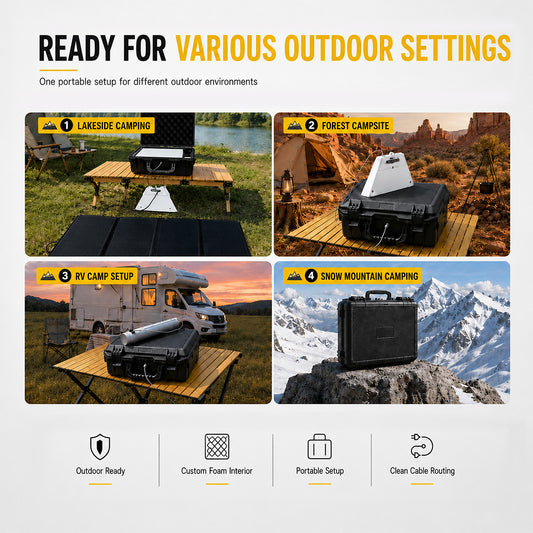
Starlink Mini IP67 Hard-Shell Case - Custom Foam Storage
通常価格 $82.00からセール価格 $82.00から 通常価格単価 あたり$0.00 -
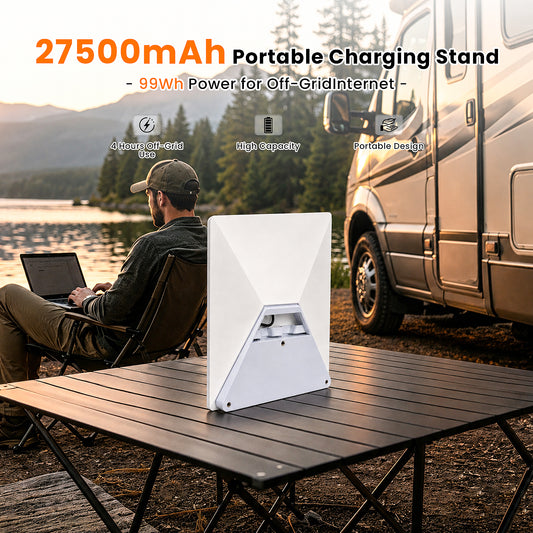
Starlink Mini Snap-Fit Travel Battery – 99Wh, LCD Display
通常価格 $159.00からセール価格 $159.00から 通常価格単価 あたり$279.00セール -
Starlink Mini Compact Battery Pack — Up to 4 Hours · 99Wh
通常価格 $149.00からセール価格 $149.00から 通常価格単価 あたり$259.00セール -
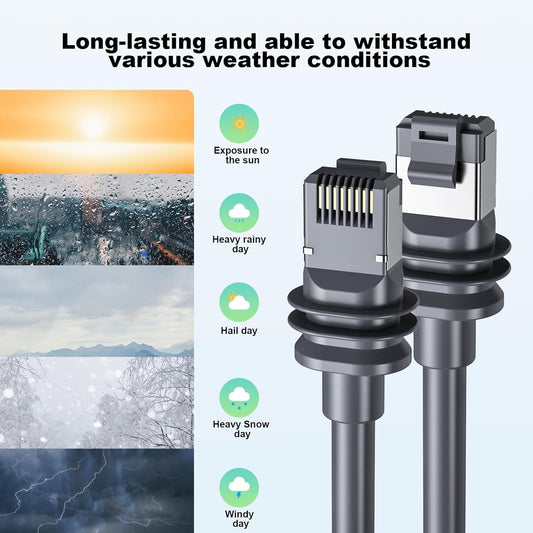
Starlink V3/V4 & Mini Waterproof Cat6 Cable - 10M/32.8FT
通常価格 $45.00セール価格 $45.00 通常価格単価 あたり$60.00セール -
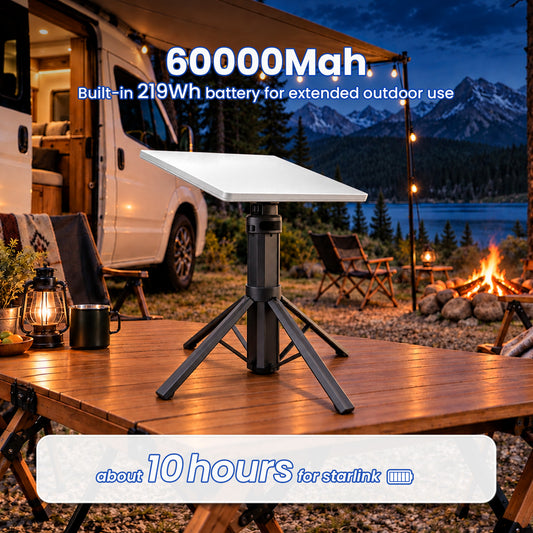
Starlink Mini Foldable Battery Tripod With Digital Display — Up to 10 Hours · 219Wh
通常価格 $269.00セール価格 $269.00 通常価格単価 あたり$399.00セール -
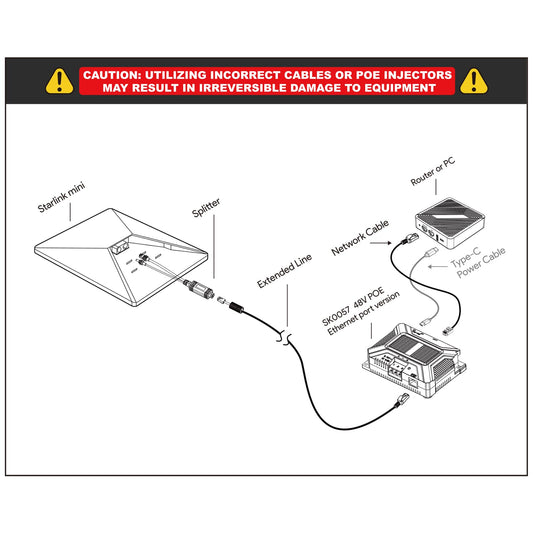
Starlink Mini 12V PoE Injector & Ethernet Splitter Kit
通常価格 $157.00セール価格 $157.00 通常価格単価 あたり$218.00セール -
Starlink Mini Digital Battery Stand — Up to 6 Hours · 222Wh
通常価格 $269.00セール価格 $269.00 通常価格単価 あたり$349.00セール -
Starlink Mini Ethernet Splitter & PoE Injector - Single RJ45 Run
通常価格 $79.99セール価格 $79.99 通常価格単価 あたり$0.00 -
Starlink Mini Portable Cable Reel Power Hub - 10M/15M
通常価格 $164.00からセール価格 $164.00から 通常価格単価 あたり -
Starlink Mini Battery Storage Bag - Fits 99Wh & 166Wh Packs
通常価格 $25.00からセール価格 $25.00から 通常価格単価 あたり$0.00 -
Starlink Mini & Gen 3 Windproof Silicone Securing Strap
通常価格 $58.00セール価格 $58.00 通常価格単価 あたり














Remote Work Field Guide
Build a Starlink Mini Kit for a Field Workday
Match session length and power source first, then choose a stable temporary setup, wired handoff, cable control and pack-out method. These representative options organize the workflow without assuming every product works together.
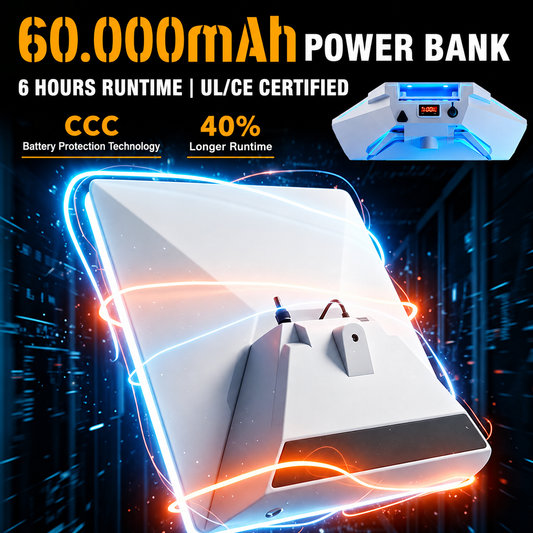
Smart LCD Power Bank
Best for: a portable power source with visible status when the selected capacity, outputs, cables and combined equipment load have been checked.
View this power bank Power + StandFoldable Battery Tripod
Best for: combining a compatible battery and adjustable stand in one transportable unit on a stable, suitable work surface.
View this battery tripod Temporary StructureAdjustable Aluminum Clamp Mount
Best for: attaching to a compatible rail, edge or structure after measuring the clamping range and checking stability and site permission.
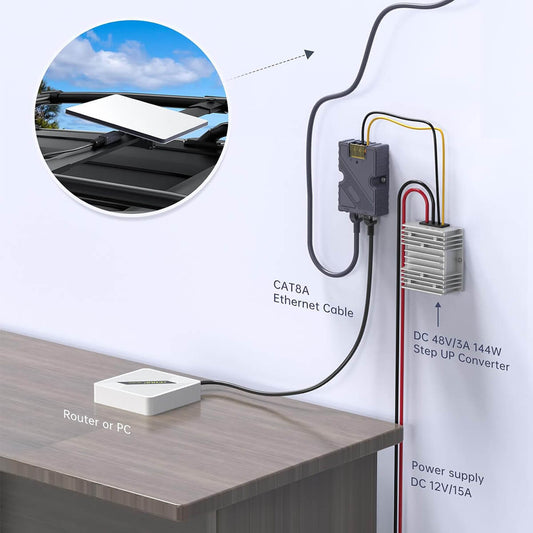
View this clamp mount Wired Network Handoff12V PoE & Ethernet Splitter Kit
Best for: a planned RJ45 power and data route after verifying input voltage, pinout, cable type and all connected network equipment.
View this wired option Cable ControlRetractable DC/USB-C Cable Reel
Best for: managing a temporary cable route while keeping connectors, bend radius, trip hazards and total required length in view.
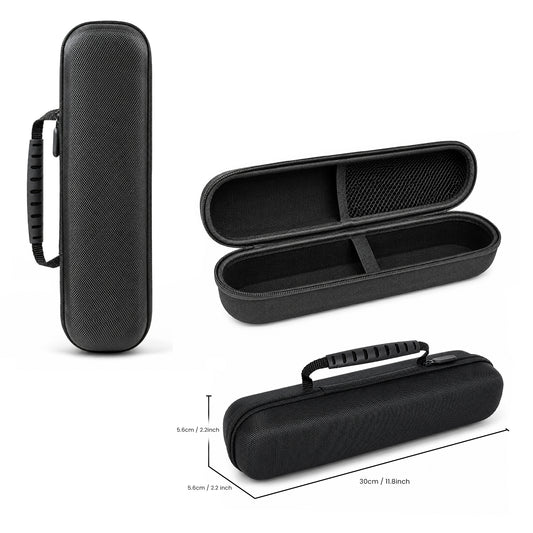
View this cable reel Pack and MoveBattery-Ready EVA Carry Case
Best for: organizing the dish, selected power gear and accessories when the exact compartment layout and dimensions match the field kit.
View this carry caseFAQ
Starlink Mini Remote Work & Field Kit Questions
Plan power, placement, wired connectivity, cable safety and pack-out before relying on a temporary field setup.
What should a Starlink Mini remote work field kit include?
A practical kit usually includes a compatible power source, the required power cable, a stable temporary stand or mount, cable management, weather-appropriate protection and a case or bag for transport. Add Ethernet or PoE equipment only when the full wiring plan requires it. Confirm every connector and included part before leaving for the site.
How do I estimate battery capacity for a remote workday?
Add the expected power use of Starlink Mini, the laptop, router and any other equipment, then compare that load with the battery's usable watt-hour capacity and output limits. Runtime changes with network activity, temperature, conversion losses, battery age and connected devices, so keep a reserve instead of treating the label as guaranteed working time.
What mount works best at a temporary job site?
The best option depends on the available surface and site rules. A tripod suits a stable open surface, a clamp requires a compatible rail or edge, and a suction product requires a clean, suitable smooth surface. Verify the sky view, mounting range, stability, weather exposure and permission before deploying or leaving equipment unattended.
Does Ethernet help with a Starlink Mini remote work setup?
Ethernet can be useful when a laptop, router, switch or field device needs a wired connection, but it does not guarantee faster or uninterrupted internet. Confirm the injector or splitter pinout, voltage, cable category, connector protection and compatibility with every device before applying power.
How should I manage cables at a field work site?
Route cables away from walkways, vehicle paths, sharp edges, standing water and hot surfaces. Use strain relief, protect connectors and avoid bends tighter than the cable specification. A reel can keep extra length controlled, but do not energize tightly coiled cable unless the product instructions allow it.
How do I protect Starlink Mini from dust and rain during field work?
Use only the exposure and ingress protection stated for each product. Water-resistant bags, fitted covers and sealed cases do not provide the same protection, and a travel case should not remain closed around powered equipment. Keep power connections dry, protect open ports and stop using the setup when conditions exceed the documented limits.
Can I leave a Starlink Mini field setup running unattended?
Do not assume a temporary field setup is safe to leave unattended. Check security, mounting stability, weather, cable hazards, ventilation, battery placement, local rules and the manufacturer's operating instructions. If the site cannot be monitored or protected, pack the equipment away when work stops.
What should I verify before each remote work deployment?
Confirm Starlink service availability and current use rules for the location, then check the sky view, weather, site permission, battery charge, required runtime, output voltage, connectors, cable length, mount fit, packed weight and every included part. Test the complete kit before travel and carry a shutdown and pack-out plan.