
So, you've got the Starlink Mini and want to take it out and about, right? That's cool. But it needs power, and not just any power. We need to talk about what kind of battery pack actually works with it, especially if you're trying to get the best power bank for Starlink Mini. It's not as simple as just plugging in any old battery. Let's figure out what makes a power bank a good fit for keeping your Starlink Mini online when you're away from a wall outlet.
Key Takeaways
- The Starlink Mini needs a power bank that supports USB-C Power Delivery (PD) and can output at least 60 watts.
- Anker Prime 20,000mAh is a solid option, offering around 3-5 hours of Starlink Mini runtime.
- PeakDo LinkPower provides a higher capacity (27,500mAh) with features like solar charging and a clip-on design, good for longer use.
- Look for power banks with good capacity (20,000mAh or more), appropriate ports (USB-C PD), and durability for outdoor use.
- Consider battery runtime based on usage; heavy data use, especially uploads, will drain the battery faster.
Understanding Starlink Mini Power Requirements
Essential Power Needs for the Mini Dish
The Starlink Mini dish, while compact, still needs a steady stream of power to operate. Unlike its larger predecessors that required a specific Starlink router and power supply, the Mini is designed for more flexibility. It can accept power directly through its DC input, which supports a range of voltages (12V-48V). This means it's compatible with various battery systems, including power banks. The dish itself has a maximum power draw of around 60 watts, though it typically uses less when actively connected. Knowing this wattage is key to selecting a power source that won't leave you hanging.
Why a Dedicated Power Bank is Crucial
When you're out and about, or if the power goes out at home, relying on standard wall outlets isn't an option. That's where a dedicated power bank comes in. It's not just about having a backup; it's about making the Starlink Mini truly portable. A good power bank lets you set up internet access anywhere you can get a clear view of the sky, whether you're camping, working remotely, or just need a connection during an outage. Trying to power the Mini with a weak or incompatible source can lead to connection issues or the dish shutting down unexpectedly. A power bank designed for this purpose, like those with USB-C Power Delivery (PD) up to 100 watts, is a solid choice. These power banks for Starlink Mini are built to handle the Mini's needs and provide a reliable connection.
Here's a quick look at what the Starlink Mini needs:
- Voltage Input: 12V-48V via DC input.
- Max Power Draw: Approximately 60 watts.
- Connection Type: Can use a DC5521 to USB-C adapter cable for USB-C PD power sources.
Relying on a power bank means you're not tied to a location. It opens up possibilities for internet access in places you might not expect, turning a simple dish into a mobile communication hub. Just make sure the power bank you choose can actually supply the wattage the Mini needs.
Top Power Bank Options for Starlink Mini
Picking the right power bank for your Starlink Mini really comes down to specific output and reliability. Starlink Mini runs on USB-C Power Delivery (PD), needing at least 45W output, so not every battery pack will cut it. Here are a few great options you should consider if you want to stay online during an outage, camping trip, or just on the move. For background on the technical requirements, see this overview of compatible USB-C power banks.
Anker Prime 20,000mAh: A Reliable Choice
The Anker Prime 20,000mAh is a popular, trusted power bank and fits the bill for Starlink Mini. It has:
- Up to 100W output across dual USB-C ports
- Runs Starlink Mini for about 3–5 hours on a full charge
- Compact—a bit smaller than a paperback, so it’s easy to pack
- Charges quickly with the right charger (usually around two hours)
A quick rundown of real-world usage:
| Capacity | Output | Run Time (Approx.) | Weight |
|---|---|---|---|
| 20,000mAh | Up to 100W | 3–5 hours | 1.3 lbs |
Some users say actual run times depend on data usage—heavy uploading, for example, draws more power. If you’re using your Mini for emails and standard browsing, you’ll be closer to that upper estimate.
PeakDo LinkPower: Versatile and Feature-Rich
PeakDo LinkPower is a favorite for people who want features beyond just raw power. Key highlights:
- 27,500mAh (99Wh): Safe for airline carry-on
- Built-in LCD display for real-time status: battery voltage, remaining capacity, and charge time
- IP65 rated (water and dust resistant)
- Multiple charging options, including USB-C PD and even solar panel compatibility for off-grid days
- Bluetooth remote monitoring and app-based settings
Here’s what stands out: It easily attaches directly to the Starlink Mini, so you skip extra cables and keep your kit clean. You can also run other devices (like phones) at the same time—it’s not just for your dish.
With the PeakDo, you’re not just powering Starlink—you’ve got backup for other USB-C gadgets too. The battery lasts 4+ hours depending on how much bandwidth the dish is using, and remote management is helpful if you want to monitor things from your tent or camper.
High-Capacity Battery Packs for Extended Use
If you’ll be off-grid longer or want to charge multiple things, look for the larger battery packs built for ruggedness and runtime.
Some features to consider:
- Capacity above 25,000mAh and 99Wh (legal flight carry-on limit)
- Multiple USB-C PD outputs so you can run your Starlink and another device
- Environmental resistance: water, dust, and shock protection
- Clip-on mounting, so the battery stays put in bad weather
| Model | Capacity | Output | Water Resistance | Flight Legal |
|---|---|---|---|---|
| PeakDo LinkPower | 27,500mAh | 60W+ | IP65 | Yes |
| Anker Prime | 20,000mAh | 100W | N/A | Yes |
| Generic Outdoor Pack | 30,000mAh | 65–100W | IPX4–IP67 | Sometimes |
Sometimes you’ll find integrated features like solar charging, smart LCDs, or remote app control, making these battery packs more than just a slab of power. Just double-check that any pack you pick can consistently output 45W+ via USB-C PD; that is the bare minimum the Starlink Mini expects.
If you’re packing for a week off the grid, invest in a larger, tougher battery. For short days or quick replacement power, smaller models work—but avoid picking by price alone. Your internet connection is only as solid as your battery choice.
Key Features to Look For
When you're picking out a power bank for your Starlink Mini, there are a few things that really matter. You don't want to end up with something that dies too fast or doesn't even connect properly. Let's break down what to keep an eye on.
Capacity and Runtime Estimates
This is probably the biggest one. How long will the power bank actually keep your Starlink Mini running? Most power banks list their capacity in milliampere-hours (mAh) or watt-hours (Wh). For the Starlink Mini, you'll want something with a decent capacity. A common recommendation is around 20,000mAh or more. This usually translates to a few hours of use, but it really depends on how much data you're using and the specific power bank.
- 20,000mAh: Generally provides 2-4 hours of Starlink Mini use.
- 27,000mAh+: Can offer 4-6 hours or more.
- Higher Capacity: Might give you a full day, but these are usually bigger and heavier.
Remember, these are just estimates. Heavy usage, like constant video calls or large downloads, will drain the battery faster than just checking emails.
Connectivity and Charging Ports
How does the power bank connect to your Starlink Mini, and what else can it do? Most Starlink Mini power solutions use a USB-C connection. Make sure the power bank has a USB-C Power Delivery (PD) port that can output enough power for the Starlink Mini. It's also handy if the power bank can charge other devices, like your phone or laptop. Look for multiple ports, including USB-A and USB-C, so you're not stuck charging just one thing at a time.
Having a power bank that can also charge your phone or tablet is a big plus when you're out and about. It means one less thing to worry about.
Durability and Environmental Resistance
If you plan on taking your Starlink Mini to the beach, on a camping trip, or just using it outdoors, the power bank needs to be tough. Some power banks are built with rugged casings to resist drops and bumps. Others might have an IP rating, like IP65, which means they're protected against dust and water jets. This is super important if you're in an area where it might rain or get dusty. You don't want your power source failing because of a little weather.
- Rugged Casing: Protects against physical damage.
- Water/Dust Resistance (IP Rating): Keeps out the elements.
- Temperature Tolerance: Check if it can handle extreme heat or cold if you'll be in those conditions.
Maximizing Your Power Bank's Performance
When you’re depending on a power bank to keep your Starlink Mini running, you want every bit of battery life you can get. Here’s how to make sure you squeeze out the best performance — and stretch your power for those times when plugging in isn’t an option.
Optimizing Charging Speed
- Use the original (or a certified high-output) USB-C cable and fast charger for your power bank. Cheaper or off-brand cables can limit current and slow everything down.
- Only charge the Starlink Mini when it’s actually needed. Topping off constantly can be wasteful.
- If your power bank supports Power Delivery (PD), enable it! This can cut charging time nearly in half for high-drain devices.
| Charging Method | Estimated Charge Time (20,000mAh Power Bank) |
|---|---|
| PD Wall Charger 65W | 3-4 hours |
| Standard USB-A (15W) | 6-8 hours |
| Car Charger (18W) | 5-6 hours |
| Foldable Solar Panel (variable) | 8-12 hours (sun dependent) |
Fast charging isn’t magic, but it’s real—stick to high-quality cables and keep your setup neat. Small things like cleaning the port of dust can really make a difference over time.
Understanding Battery Health and Longevity
- Don’t let the battery sit for weeks at 0% or at 100%. Both extremes wear down the cells faster.
- Store power banks around 40-60% full if you won’t be using them for a while.
- Avoid charging up in super-hot or freezing-cold weather. Heat wears out batteries and cold can slow charging or cut runtime.
Batteries will lose some power over time—that’s just how lithium-ion tech goes. Still, handling with a bit of care can add months or even an extra year of good use.
Smart Usage for Extended Off-Grid Operation
- Only run your Starlink Mini and router when needed—schedule downloads or updates for specific times instead of running all day.
- Keep devices like phones or laptops charged separately if possible so you aren’t draining the main power supply just for Starlink streaming.
- Consider picking up a second battery if you know you’ll be without grid power for more than a weekend.
- Shut down the Mini during long breaks.
- Keep the power bank out of direct sun on hot days (shade makes a huge difference in battery life).
- If using solar panels, try adjusting their angle throughout the day to speed up charging.
When you’re miles from the nearest outlet, a bit of planning turns a 3-hour battery into a tool that can last you a whole trip. It’s all about stretching what you’ve got and not wasting it.
Integrating Power Banks with Your Starlink Setup
Direct Attachment Solutions
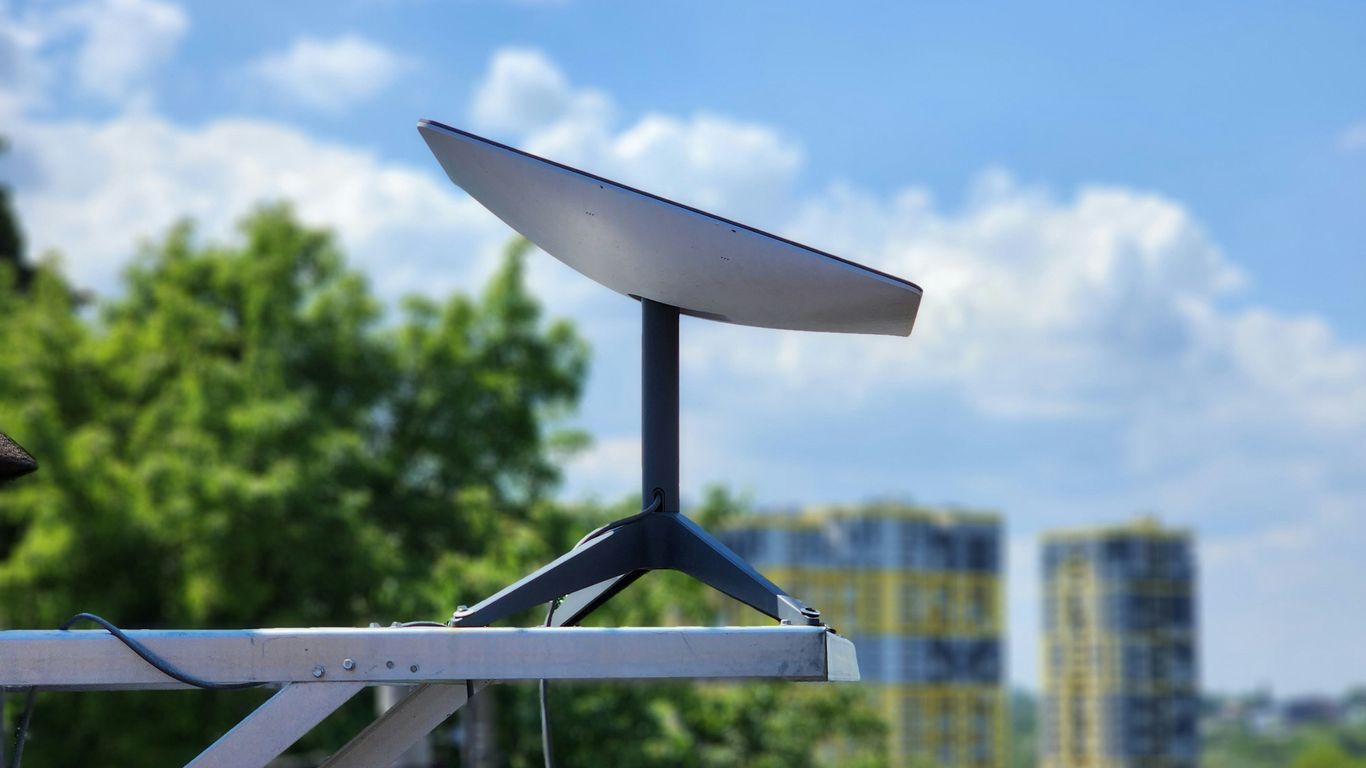
Some power banks are designed to physically connect right onto the Starlink Mini dish itself. This is pretty neat because it means you don't have to carry a separate battery and worry about it sliding around. It often uses a built-in kickstand or a secure mounting system, making the whole setup feel like one solid unit. This approach really simplifies things, especially when you're trying to get online quickly in a remote spot. You just slide it on, click it into place, and you're pretty much ready to go. It's a big step up from trying to balance a separate battery pack while also setting up the dish.
Cable Requirements for Connection
When you're not using a direct-attachment power bank, you'll need the right cables to bridge the gap between your power source and the Starlink Mini. The Mini uses a DC5521 port, which isn't your typical USB connection. So, you'll likely need a specific adapter cable. Think of it as a translator: one end plugs into your power bank's USB-C port (which is usually where the power comes out), and the other end connects to the Mini's power input. Make sure the cable you choose can handle the wattage the Mini needs – usually around 60W, though the power bank might output more. It's also good to check that the cable is built tough, especially if you plan on taking it outdoors a lot.
Portability and Travel Considerations
Getting your Starlink Mini and power bank out into the wild means thinking about how you'll carry it all. A good storage case is a lifesaver here. Look for something sturdy, maybe like a Pelican case, that has foam inserts you can customize. This keeps everything snug and protected, whether it's bouncing around in the back of a truck or getting jostled in a backpack. The goal is to have a kit that's easy to grab and go, so when you need internet in an emergency or just want to work from a cool new spot, you're not fumbling with loose parts. Portability is key for any off-grid setup.
When packing for a trip, think about how quickly you can deploy your Starlink Mini. A well-organized setup with the right cables and a secure case means less time fiddling and more time connecting. It's about making the technology work for you, not the other way around.
Advanced Power Bank Functionality
Today’s portable power banks aren't just about storing electricity. For anyone relying on Starlink Mini off-grid, having advanced features can make a huge difference in how you use and manage your portable internet setup. Let’s look at some of these next-level tools.
LCD Displays and Status Monitoring
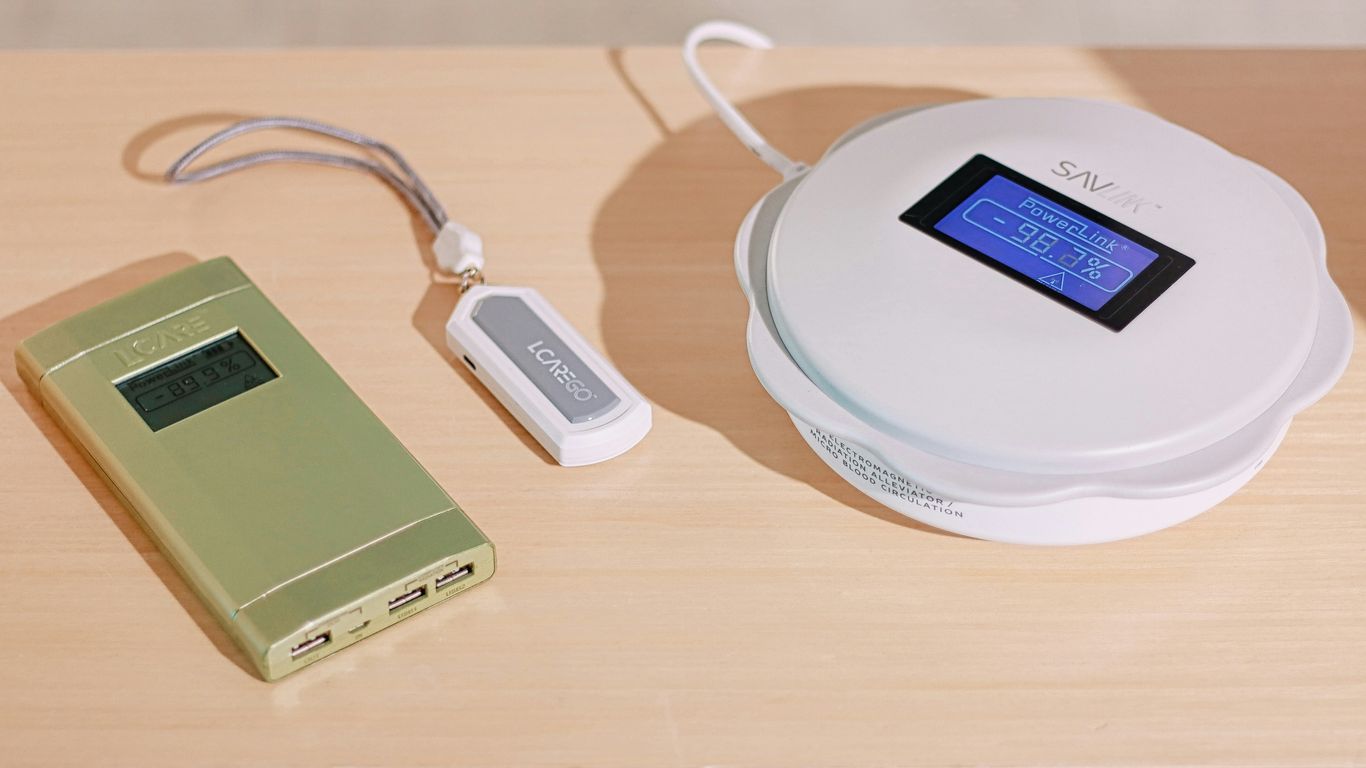
Staying aware of your power reserve is key, especially during outdoor trips and emergencies. Many modern power banks, such as those designed for the Starlink Mini, come with smart LCD displays that show real-time data including battery level, output wattage, and even estimated remaining runtime. This makes it a lot easier to plan your usage instead of guessing when you’ll run out of juice.
| Feature | Benefit |
|---|---|
| Real-time battery % | Prevents sudden shutdowns |
| Output wattage display | Monitors how much power Starlink uses |
| Estimated runtime | Helps plan off-grid sessions |
The added clarity from an intelligent LCD display can mean fewer surprises and better control over your setup, especially when you’re far from outlets.
App Control and Remote Management
Some of the fancier power banks let you check battery status and change settings using your phone via Bluetooth. Here’s why that matters:
- You can check remaining capacity without walking over to the power bank.
- Remote switching lets you save power by turning the output off when you’re not using Starlink.
- Alerts notify you if the battery is running low, so you’re not caught off guard.
Not every app is smooth—some are basic browser dashboards—but even having a few remote features is handy when your power bank is stashed away or out in the weather.
Solar Charging Capabilities
When you’re truly off the beaten path, plugging into a wall isn’t an option. That’s where solar charging saves the day. Many rugged power banks now have ports for attaching a solar panel. A bit of sunlight can extend your Starlink Mini’s runtime substantially.
Some pointers if you’re exploring solar:
- Make sure your power bank supports pass-through charging, so you can keep Starlink running while topping up with solar.
- Check that the solar panel's wattage matches what your power bank can safely accept.
- Foldable or small rigid panels are often easiest to carry in a backpack.
Even if you’re mostly indoors, having a power bank with solar recharge can serve as reassurance during outages—it means you aren’t totally dependent on grid power.
Advanced features do more than just look cool—they actually help keep you online, let you plan for longer sessions, and give you more freedom to roam without worrying about losing your internet signal.
Our power banks offer more than just a quick charge. Imagine keeping your devices powered up for days, or even using them to boost other gadgets when you're off the grid. These aren't your average batteries; they're designed for serious adventurers and tech enthusiasts who need reliable power anywhere, anytime. Ready to explore the full potential of portable power? Visit our website to see all the advanced features.
Wrapping It Up
So, if you're looking to take your Starlink Mini out and about, you've got some solid options. Power banks like the Anker Prime and the PeakDo LinkPower seem to be the go-to choices. They offer enough juice to keep you connected for a few hours, which is pretty great for camping or just being away from an outlet. Just remember to check the specs, especially the wattage and battery capacity, to make sure it'll work with your Mini. It's not super complicated, but picking the right power bank means you won't be left without internet when you least expect it. Happy trails and stay connected!
Frequently Asked Questions
What kind of power does the Starlink Mini need?
The Starlink Mini needs a power source that can provide enough power through a USB-C connection. It's designed to use about 60 watts of power at its peak. This means you need a power bank that can deliver that amount consistently.
Can any power bank power the Starlink Mini?
Not just any power bank will work. You need one that supports USB-C Power Delivery (PD) and can output at least 60 watts. Many smaller power banks don't have enough power output for the Starlink Mini.
How long can a power bank run the Starlink Mini?
This depends on the size of the power bank. A good 20,000mAh power bank can run the Starlink Mini for about 3 to 5 hours. Bigger ones, like 42,980mAh, can last over 6 hours, giving you more time online.
What are some good power banks for the Starlink Mini?
Some popular choices include the Anker Prime 20,000mAh, which is reliable and offers 100-watt output. The PeakDo LinkPower is another great option, often featuring a clip-on design and solar charging capabilities. There are also higher-capacity battery packs specifically made for Starlink Mini.
Do I need special cables to connect a power bank?
Yes, you'll likely need a specific cable. The Starlink Mini uses a DC5521 port, so you'll need a cable that converts this to a USB-C connection to plug into your power bank.
Can I charge my phone with the same power bank?
Absolutely! Most power banks designed for the Starlink Mini also have extra USB ports, like USB-A or additional USB-C ports. This allows you to charge your phone, tablet, or other gadgets at the same time.


